
Branch.io: Event Integration
Branch → Netcore CE (Event Integration)
- Post-Install Onboarding Journey: When Branch records an install and first open attributed to a Netcore CE email, that event reaches CE against the user's primary key. A journey enrolls the user in an onboarding sequence across app push, WhatsApp, or email, timed from the moment they actually installed.
- Email-to-App Funnel Reporting: When Branch sends app opens and in-app conversions to Netcore CE, they can be analysed alongside the email send, open, and click. Marketers see the full funnel from email to in-app purchase, and can attribute app revenue to the campaign that drove it.
- Segment on App Events Without the Netcore SDK: When a brand has the Branch SDK but not the Netcore SDK, Branch forwards the in-app events CE needs, such as add-to-cart, purchase, or level-complete. Segments and journeys built on app behaviour work from day one, without an additional SDK release.
- Clicked but Did Not Install Follow-Up: When a user clicks an email deep link but no install event arrives from Branch within a set window, a Netcore CE journey sends a follow-up on SMS or WhatsApp with the store link. High-intent users who dropped off at the store are recovered on a channel they respond to.
This integration allows Netcore CE to get in-app events from the Branch. The objective is to Pass In-app events from Branch to CE.
Pre-requisite
- This integration is mainly meant for our customers who want to integrate without going through the Netcore SDK integration route. If Netcore SDK is already integrated, then it is recommended to use Branch Integration only for sending app events that Netcore SDK is not tracking.
- Make sure the CE primary key is being passed either in Branch's "NetcoreID" parameter or one of the following parameters: "param1", "param2", "param3", "param4", or "param5".
- Also, please ensure that the data type of the primary key being passed in one of the above parameters is the same; otherwise, all events will be considered anonymous contacts. Contact your Branch support team to know more about which parameter this value is being passed in.
- You have gone through the steps mentioned in the Netcore CE dashboard to pass events to an app from the Branch to us.
- List your In-app events and which events you want to pass to CE.
Steps
- Navigate to Settings > Integrations and Plugins
- You find Branch Integration in the dashboard and click Connect
- You can select an app (if one already exists) or create a new app.
- You can either select the app name or type in a new app name and click Generate API Key.
- Map Primary key from the dropdown should be passed to us in one of the parameters (NetcoreID, param1, param2, param3, param4, param5)
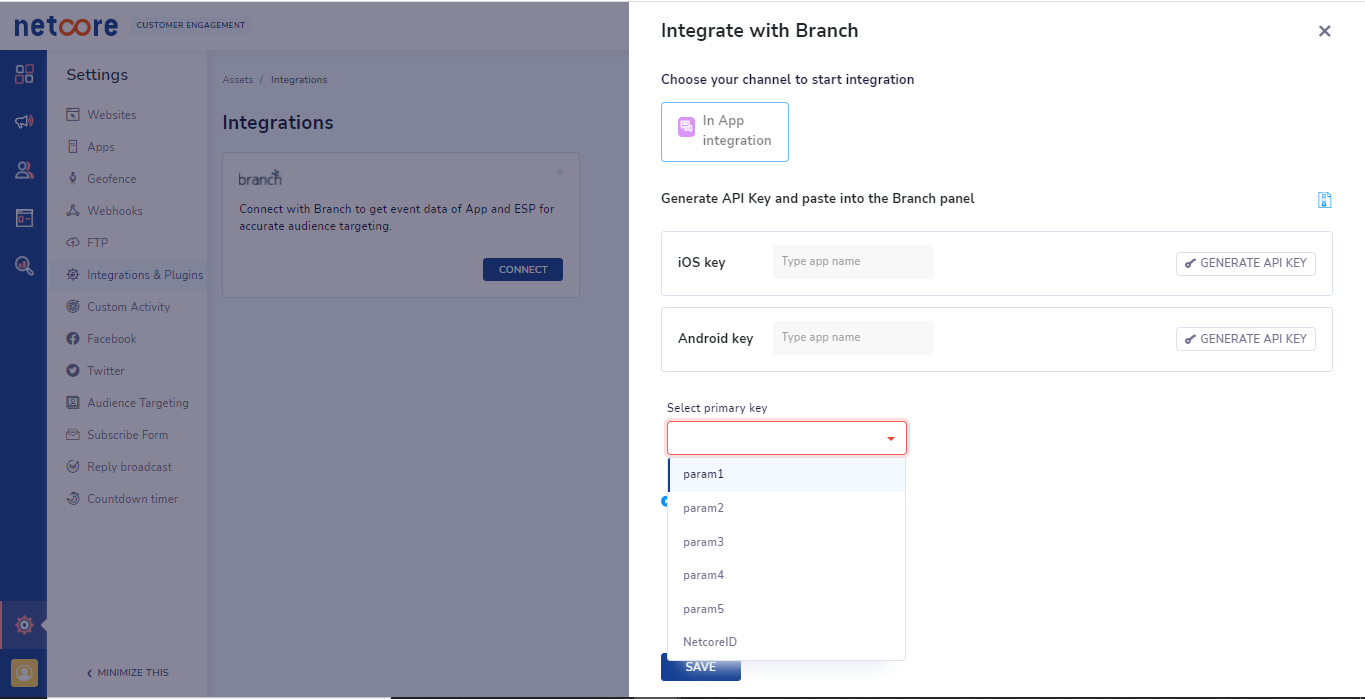
- Click Save and paste the generated keys on the Branch Panel to pass Branch in-app events to us (You have two fields for iOS and Android separately). More details can be found here.
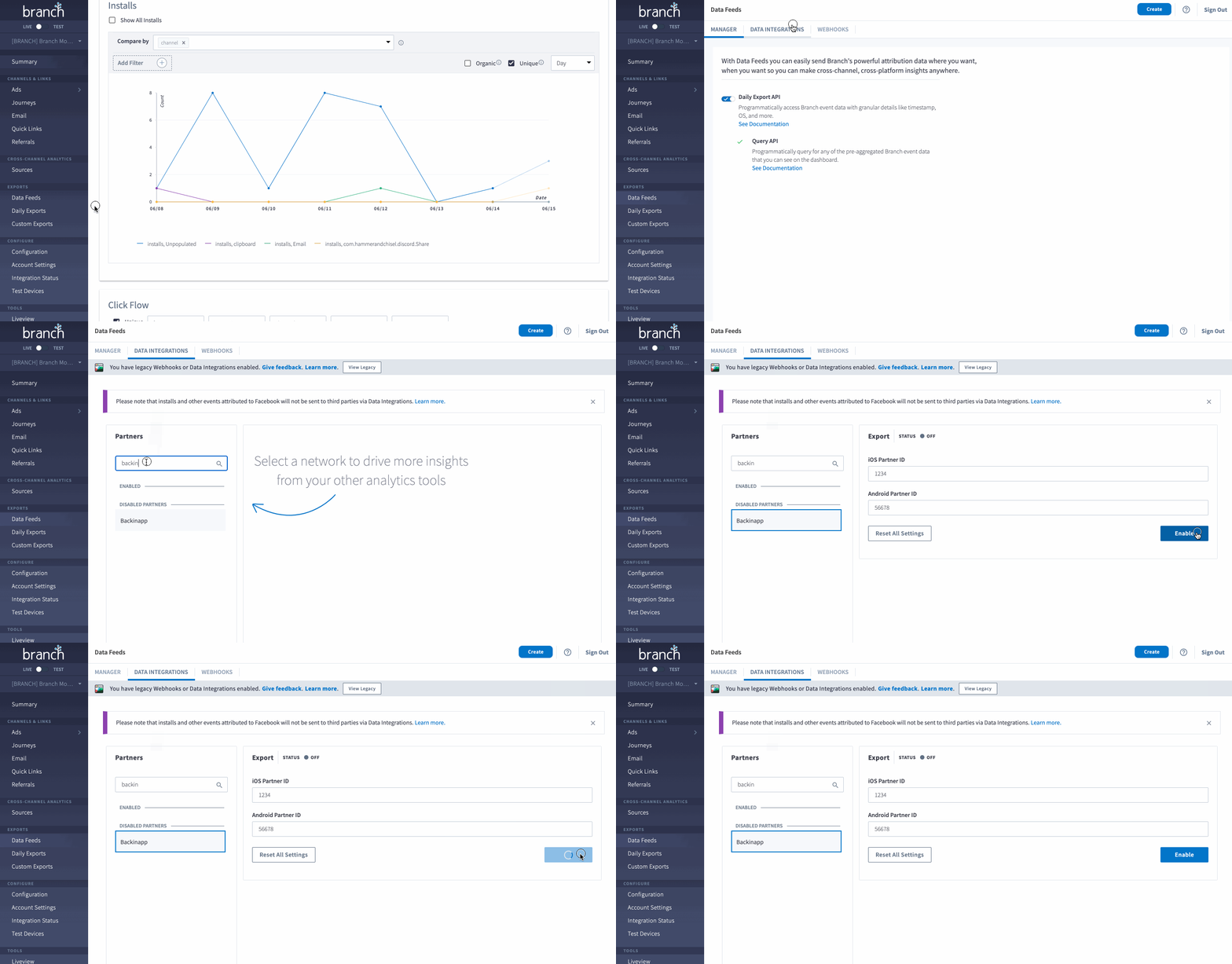
View of the Branch dashboard
Updated 19 days ago
Did this page help you?